AskGif is honest to GOD approach to bring little smile on the tense faces. Make sure to play your part in our mission to make people smile. Keep smiling and keep sharing.
You can also contribute to our mission using the given process.
AI-generated summary · May not capture all nuances
"To contribute a gif on AskGif, first register using your email address."
— How to contribute a gif on AskGif.
AskGif is honest to GOD approach to bring little smile on the tense faces. Make sure to play your part in our mission to make people smile. Keep smiling and keep sharing.
You can also contribute to our mission using the given process.
🛒 You'll Need This
Products related to this article
Bru
Bru Gold|Premium Freeze Dried Coffee|Experience Intense Coffee Taste|Aromatic Instant Coffee|200 Grams,Granule,Bag

Sunrise Pure
Sunrise Pure, Shahi Garam Masala Powder - 50 grams (Pouch)
Prabhuji
Prabhuji Epiken Pure Food Bhujia, Potato Namkeen, Crispy indian Snacks, Tea Time Snack Spicy Bhujia Tasty Munchies Party Snack Food- 900 G.
As an Amazon Associate, AskGif earns from qualifying purchases
The first step in contributing Gif is to Register yourself using your email id.
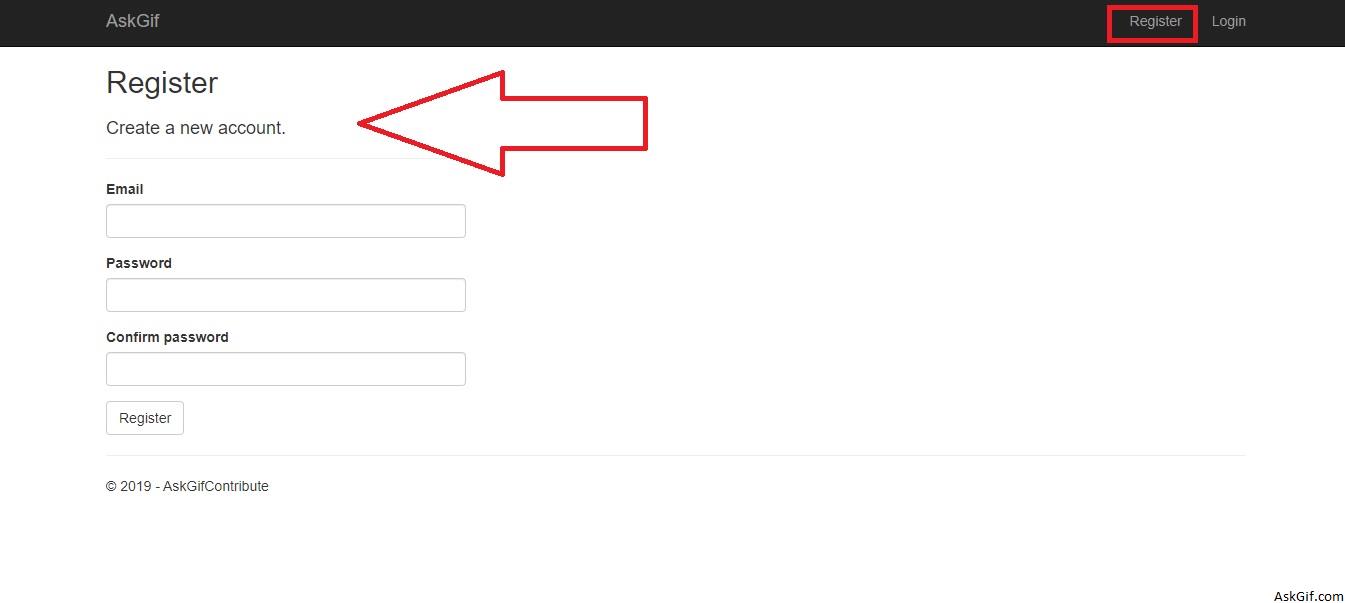
Products related to: 1. Register Yourself
Amazon affiliateBru Gold|Premium Freeze Dried Coffee|Experience Intense Coffee Taste|Aromatic Instant Coffee|200 Grams,Granule,Bag
Prabhuji Epiken Pure Food Bhujia, Potato Namkeen, Crispy indian Snacks, Tea Time Snack Spicy Bhujia Tasty Munchies Party Snack Food- 900 G.
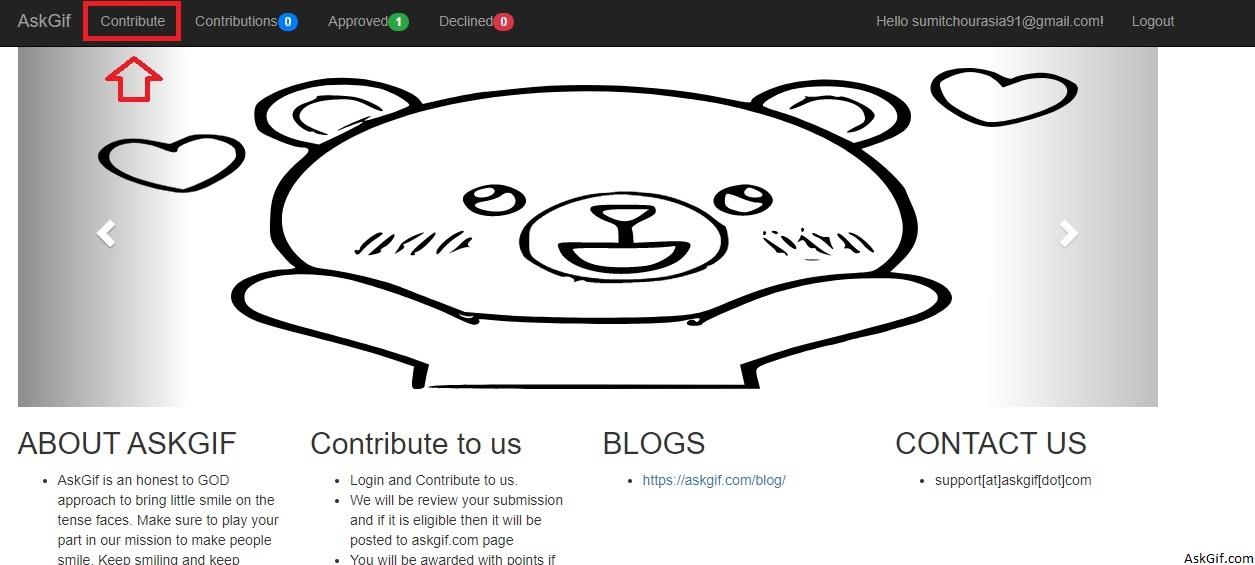
Once you log in after successful registration, you will find Contribute Link at the top menu.
Using Contribute Link you will be able to contribute your gif.
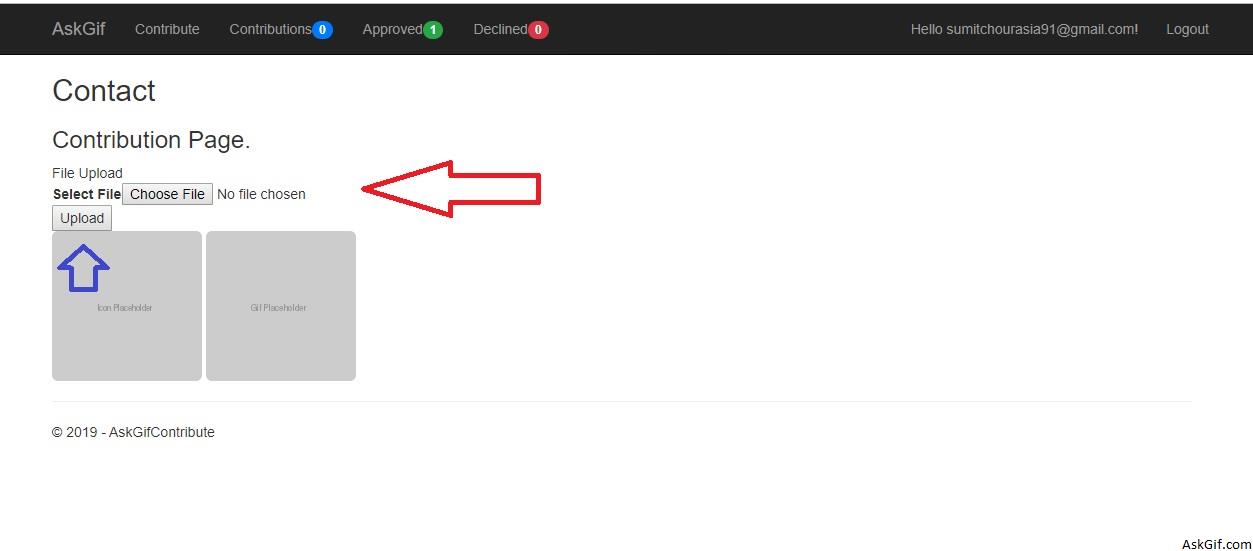
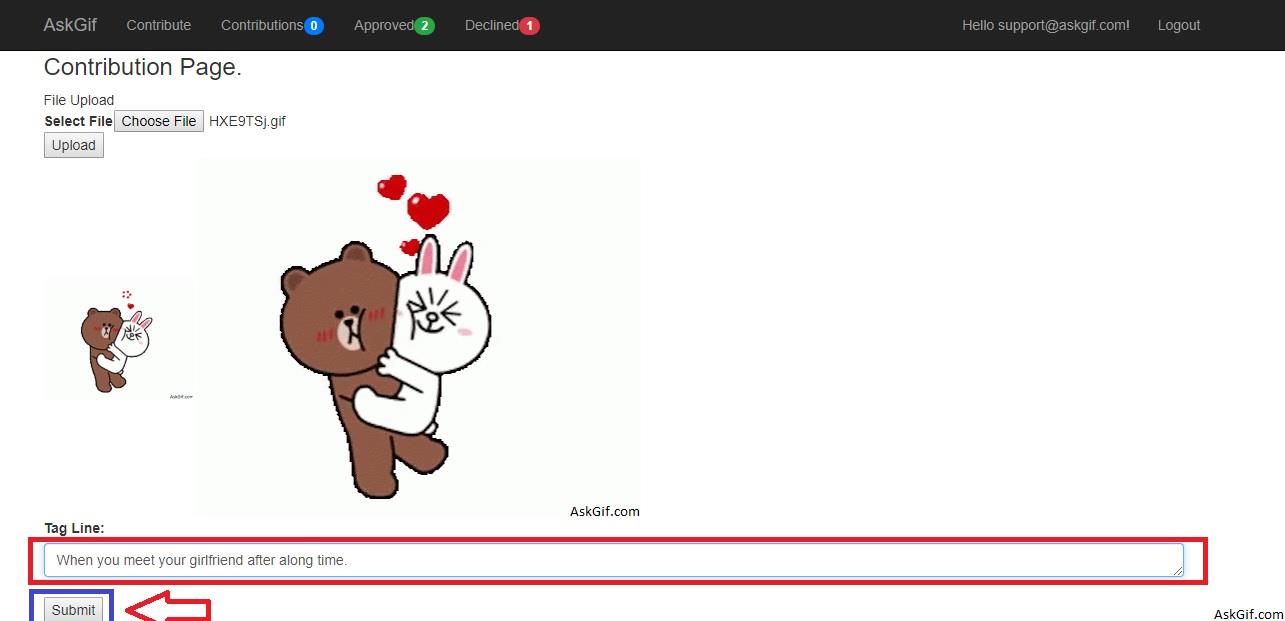
From the Contribution Page, you can upload the gif and once the gif is uploaded then you will find the text box to enter the tag line for the gif and a submit button.
Once the gif is uploaded successfully. you can submit your changes using the submit button.
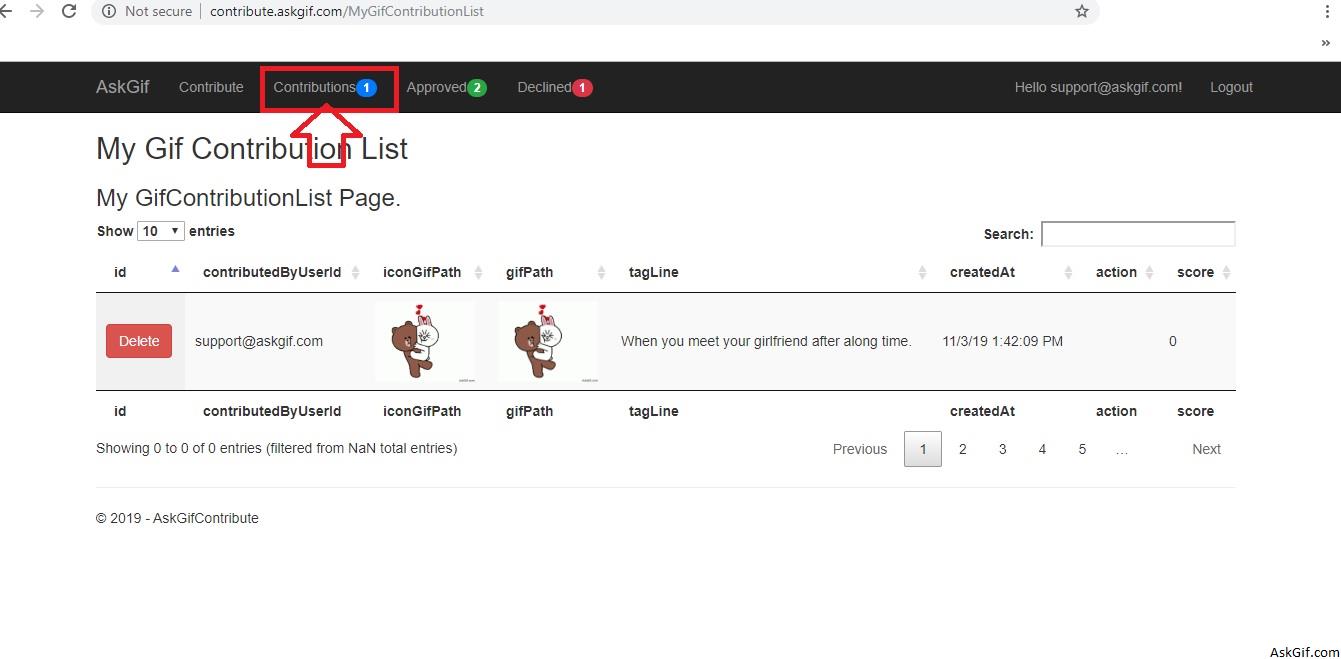
You will find your contribution list under the Contribution link.
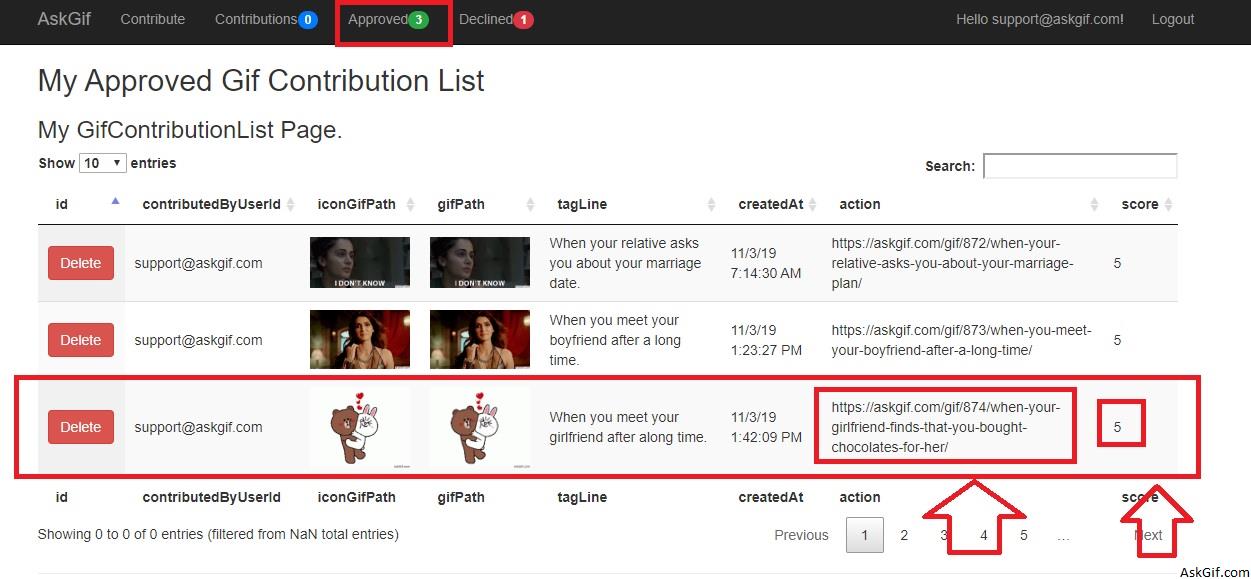
Once your gif is approved by the moderator, then you can find your gif in the Approved link and you will also find the gif link which is being uploaded to AskGif.com.