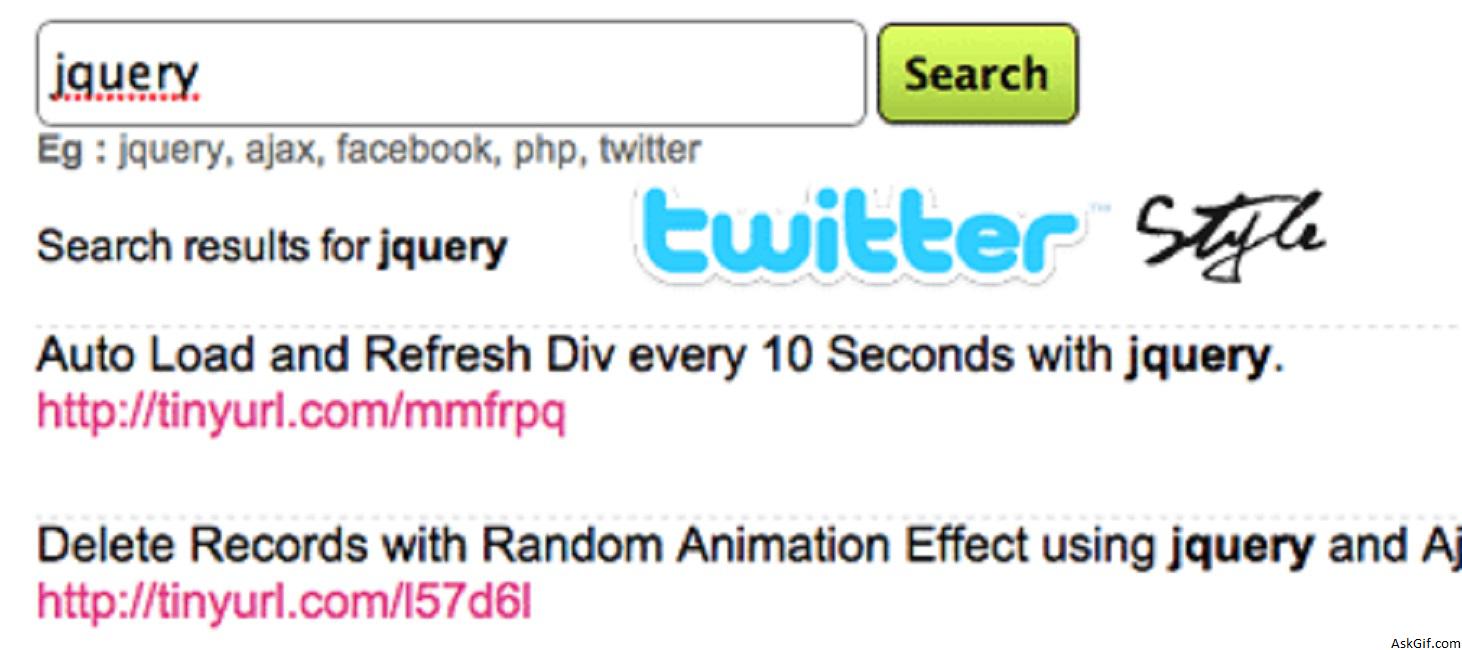
This tutorial about how to display twitter-like search results with jQuery and Ajax. When you click the search button the results will display on the same page. This is very interesting and simple.
newsearch.php
Contains javascript, PHP and HTML code. $(".submit_button").click(function(){}- submit_button is the class name of anchor tag. Using element.attr("id") calling search input value.
<script type="text/javascript" src="http://ajax.googleapis.com/ajax/
libs/jquery/1.3.0/jquery.min.js"></script>
<script type="text/javascript">
$(function()
{
$(".search_button").click(function()
{
var search_word = $("#search_box").val();
var dataString = 'search_word='+ search_word;

if(search_word=='')
{
}
else
{
$.ajax({
type: "GET",
url: "searchdata.php",
data: dataString,
cache: false,
beforeSend: function(html)
{
document.getElementById("insert_search").innerHTML = '';
$("#flash").show();
$("#searchword").show();
$(".searchword").html(search_word);
$("#flash").html('<img src="ajax-loader.gif" /> Loading Results...');
},

success: function(html){
$("#insert_search").show();
$("#insert_search").append(html);
$("#flash").hide();
}

});

}
return false;
});
});
</script>

<form method="get" action="">
<input type="text" name="search" id="search_box" class='search_box'/>
<input type="submit" value="Search" class="search_button" />
</form>

<div id="searchword">
Search results for <span class="searchword"></span></div>
<div id="flash"></div>
<ol id="insert_search" class="update">

</ol>
searchdata.php
Contains simple PHP Code. Using LIKE to find the database results.
<?php
include('config.php');
if(isset($_GET['search_word']))
{
$search_word=$_GET['search_word'];
$search_word_new=mysql_escape_string($search_word);
$search_word_fix=str_replace(" ","%",$search_word_new);
$sql=mysql_query("SELECT * FROM messages WHERE msg LIKE '%$search_word_fix%' ORDER BY mes_id DESC LIMIT 20");
$count=mysql_num_rows($sql);
if($count > 0)
{
while($row=mysql_fetch_array($sql))
{

$msg=$row['msg'];
$bold_word='<b>'.$search_word.'</b>';
$final_msg = str_ireplace($search_word, $bold_word, $msg);
?>

<li><?php echo $final_msg; ?></li>

<?php
}
}
else
{
echo "<li>No Results</li>";
}
}
?>
CSS
*{margin:0;padding:0;}
ol.update
{
list-style:none;
font-size:1.1em;
margin-top:20px
}
ol.update li
{
height:70px;
border-bottom:#dedede dashed 1px;
text-align:left;
}
ol.update li:first-child
{
border-top:#dedede dashed 1px;
height:70px;
text-align:left
}





