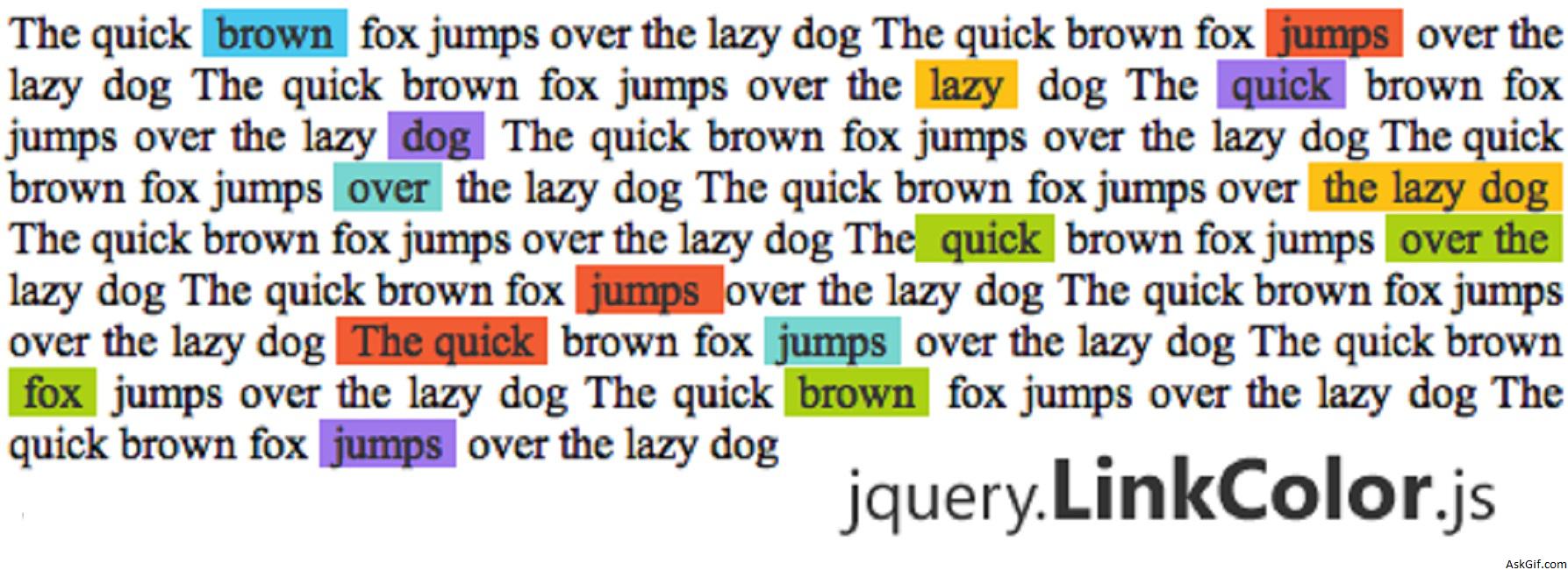
This post explains how easy you can build a jQuery plugin, we made a simple plugin called LinkColor. It makes your website anchor links so colorful and pretty beautiful, Just a few lines of code and very simple to use. Follow the eight steps and learn how to create your own jquery plugin.
jquery.LinkColor.js
/**
* jQuery LinkColor Plugin 1.0
*
* http://askgif.com/
*
* Copyright (c) 2019 Sumit Chourasia
*/
(function($){
$.fn.LinkColors = function(){
//Link background colors
var colors = new Array('4AC7ED', 'FDC015', '9F78EC', 'F25C33');
return this.each(function(i,obj){
$this = $(this);
$anchors = $(obj).find("a").get();
$.each($anchors, function(j,ele){
var randColor = Math.floor ( Math.random() * colors.length );
$(ele).css({
'background-color':'#'+colors[randColor],
'text-decoration':'none',
'color':'#333333',
'padding':'0px 5px 0px 5px'
});
});
});
};
})(jQuery);
How to Use
<html>
<head>
<script src="https://ajax.googleapis.com/ajax/libs/jquery/1.6.2/jquery.js"></script>
<script src="jquery.LinkColor.js"></script>
<script type="text/javascript">
$(document).ready(function()
{
$('body').LinkColors();
});
</script>
</head>
<body>
...................
....Content...
...................
</body>
</html>
How to Develop a jQuery Plugin from Scratch.
Step 1
(function($)
{
// --------------
})(jQuery);
Step 2
fn is function identifier LinkColors is the plugin name.
$.fn.LinkColors = function()
{
// Plugin code ...
};
Step 3
Initiating colors variables. You can add some more colors here based on your template color combinations.
var colors = new Array('4AC7ED', 'FDC015', '9F78EC', 'F25C33');Step 4
Here this refers to selectors. You should use always each function, selectors may be more than one.
return this.each(function(i,obj)
{
//............
});
Step 5
Finding anchors from selectors Eg, body, #divName and .className .
$anchors = $(obj).find("a").get();Step 6
Loop available anchors
$.each($anchors, function(j,ele)
{
//.............
});
Step 7
Make a random key from colors array
var randColor = Math.floor ( Math.random() * colors.length );Step 8
Applying CSS style for anchor each obj
$(ele).css({
'background-color':'#'+colors[randColor],
'text-decoration':'none',
'color':'#333333',
'padding':'0px 5px 0px 5px'
});