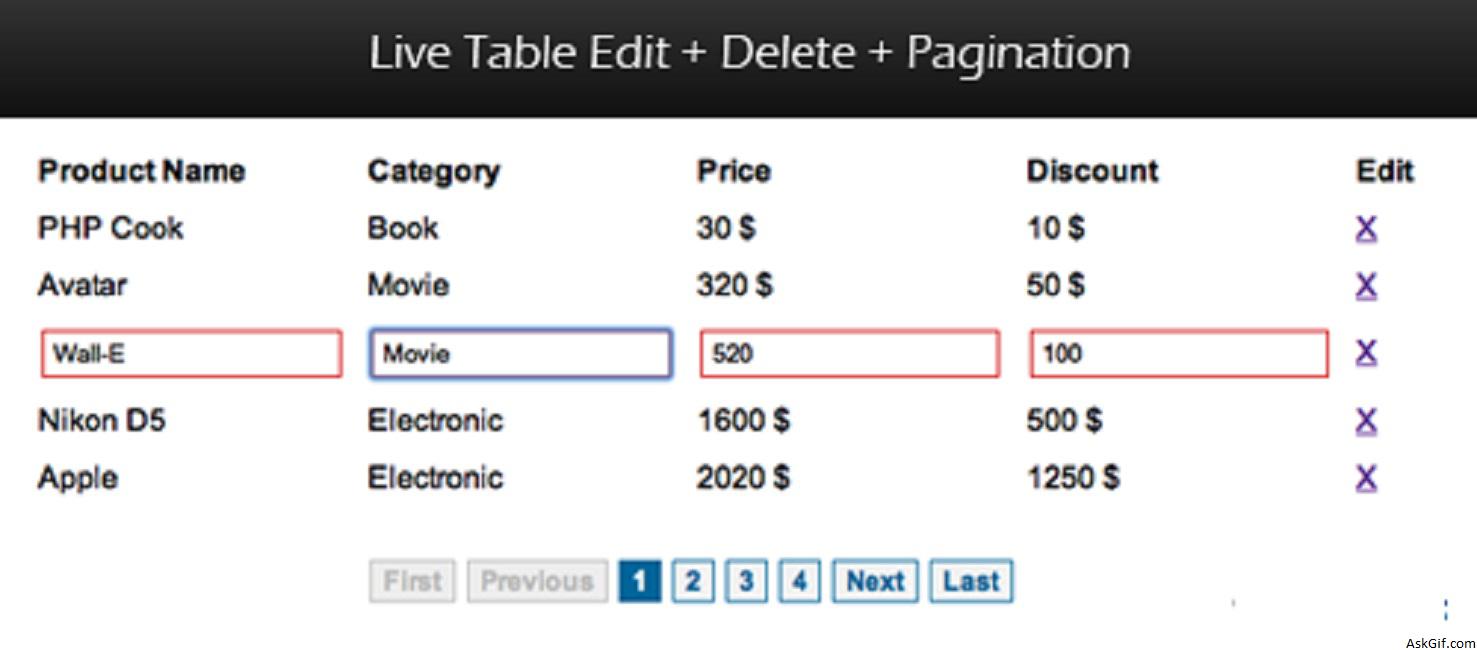
This post is a collaboration of my previous popular posts such as live table data edit, delete records with pagination using Jquery, Ajax, and PHP. I had implemented this using Jquery .live() function and DOM event handler .stopImmediatePropagation(). This script helps you to instantly modify or update the table data.
Database
Sample database products table columns pid, name, category, price, and discount.
CREATE TABLE products
(
pid INT PRIMARY KEY AUTO_INCREMENT,
name VARCHAR(70),
category VARCHAR(100),
price INT,
discount INT
);
The tutorial contains a folder called EditDeletePage with PHP and Javascript files.
index.php
table_data.php
load_data.php
live_edit_table.php
delete_ajax.php
db.php
EditDeletePage.js
Modifications
table_edit.php
Contains table data loop. If you want to display a new record, for example, forth record you have to follow below code standard.
<?php
$query_pag_data = "SELECT pid,name,category,price,discount from products LIMIT $start, $per_page";
$result_pag_data = mysql_query($query_pag_data) or die('MySql Error' . mysql_error());
$finaldata = "";
// Table Header
$tablehead="<tr><th>Product Name</th><th>Category</th><th>Price</th><th>Discount</th><th>Edit</th></tr>";
// Table Data Loop
while($row = mysql_fetch_array($result_pag_data))
{
$id=$row['pid'];
$name=htmlentities($row['name']);
$category=htmlentities($row['category']);
$price=htmlentities($row['price']);
$discount=htmlentities($row['discount']);

$tabledata.="<tr id='$id' class='edit_tr'>

<td class='edit_td' >
<span id='one_$id' class='text'>$name</span>
<input type='text' value='$name' class='editbox' id='one_input_$id' />
</td>

<td class='edit_td' >
<span id='two_$id' class='text'>$category</span>
<input type='text' value='$category' class='editbox' id='two_input_$id'/>
</td>

<td class='edit_td' >
<span id='three_$id' class='text'>$price $</span>
<input type='text' value='$price' class='editbox' id='three_input_$id'/>
</td>
// New record
<td class='edit_td' >
<span id='four_$id' class='text'>$discount $</span>
<input type='text' value='$discount' class='editbox' id='four_input_$id'/>
</td>

<td><a href='#' class='delete' id='$id'> X </a></td>

</tr>";
}
// Loop End
$finaldata = "<table width='100%'>". $tablehead . $tabledata . "</table>";

/* Total Count for Pagination */
$query_pag_num = "SELECT COUNT(*) AS count FROM products";
$result_pag_num = mysql_query($query_pag_num);
$row = mysql_fetch_array($result_pag_num);
$count = $row['count'];
$no_of_paginations = ceil($count / $per_page);
?>
EditDeletePage.js
Contains Javascript.
$(".edit_tr").live('click',function()
{
var ID=$(this).attr('id');

$("#one_"+ID).hide();
$("#two_"+ID).hide();
$("#three_"+ID).hide();
$("#four_"+ID).hide();//New record

$("#one_input_"+ID).show();
$("#two_input_"+ID).show();
$("#three_input_"+ID).show();
$("#four_input_"+ID).show();//New record
}).live('change',function(e)
{
var ID=$(this).attr('id');

var one_val=$("#one_input_"+ID).val();
var two_val=$("#two_input_"+ID).val();
var three_val=$("#three_input_"+ID).val();
var four_val=$("#four_input_"+ID).val();//New record

var dataString = 'id='+ ID +'&name='+one_val+'&category='+two_val+'&price='+
three_val+'&discount='+four_val;

if(one_val.length>0&& two_val.length>0 && three_val.length>0 && four_val.length>0)
{
$.ajax({
type: "POST",
url: "live_edit_ajax.php",
data: dataString,
cache: false,
success: function(e)
{
$("#one_"+ID).html(one_val);
$("#two_"+ID).html(two_val);
$("#three_"+ID).html(three_val);
$("#four_"+ID).html(four_val);//New record
e.stopImmediatePropagation();
}
});
}
else
{
alert('Enter something.');
}
});





