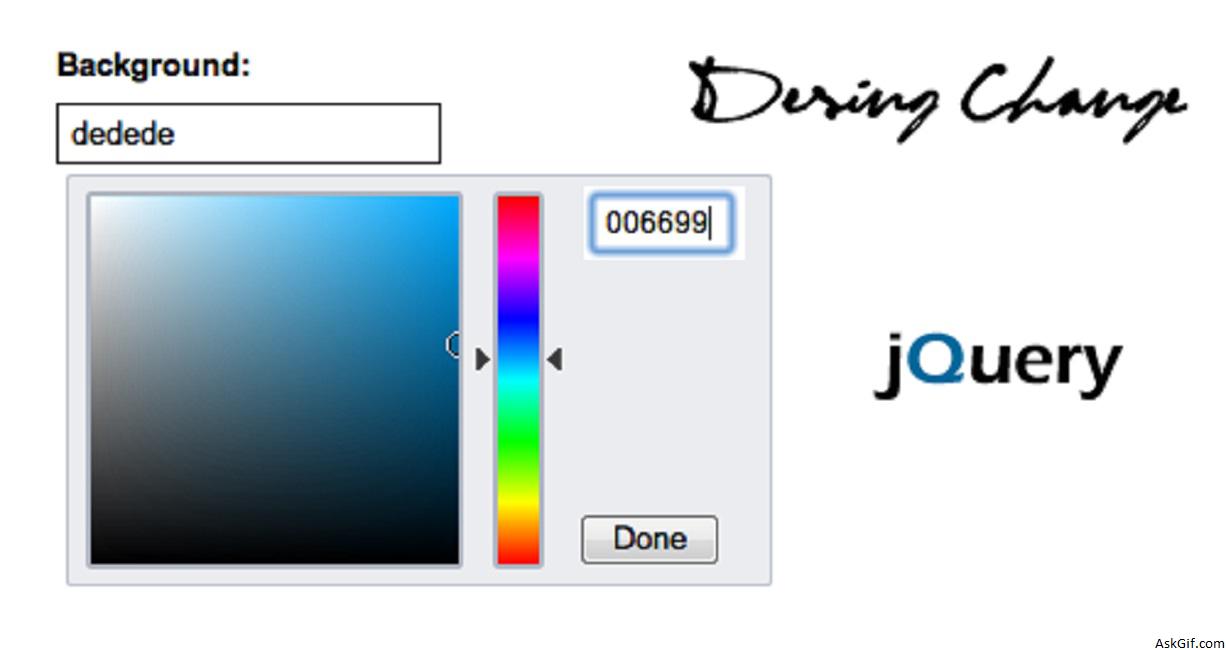
In this post, I want to explain how to change design colors like Twitter UI setting. I had posted the same long days back but now added user control system to manage own template design. Its useful feature for your web projects to providing an option to the end-user can customize his page template. This script divided into four parts Javascript, PHP, CSS, and HTML+PHP.
Sample database design for User system change design colors.
Users
users table contains user management details username, password, email, background, header, sidebar, footer, texts, and links.
CREATE TABLE `users` (
`uid` int(11) AUTO_INCREMENT PRIMARY KEY,
`username` varchar(255) UNIQUE KEY,
`password` varchar(100),
`email` varchar(255) UNIQUE KEY,
`background` varchar(6),
`header` varchar(6),
`sidebar` varchar(6),
`footer` varchar(6),
`texts` varchar(6),
`links` varchar(6),
)
Download script index.php split into four parts.
JavaScript
$(".colorpicker_submit").click(function(){})- colorpicker_submit is the class name of Done button in colorpicker. Using $("Input #ID").val() - calling the input tag values.
<script type="text/javascript" src="http://ajax.googleapis.com/ajax/libs/jquery/
1.4.2/jquery.min.js"></script>
<script type="text/javascript" src="js/colorpicker.js"></script>
<script type="text/javascript">
$(document).ready(function()
{
$('.color').ColorPicker({
onSubmit: function(hsb, hex, rgb, el) {
$(el).val(hex);
$(el).ColorPickerHide();
},
onBeforeShow: function () {
$(this).ColorPickerSetColor(this.value);
}
})
.bind('keyup', function(){
$(this).ColorPickerSetColor(this.value);
});

$(".colorpicker_submit").click(function()
{
var B = $("#background").val();
var sidebar = $("#sidebarinput").val();
var header = $("#headerinput").val();
var footer = $("#footerinput").val();
var T = $("#textinput").val();
var L = $("#linkinput").val();
$("#header").css("background-color", "#"+header);
$("#main_right").css("background-color", "#"+sidebar);
$("#footer").css("background-color", "#"+footer);
$('body').css("background-color", "#"+B);
$('#container').css("color", "#"+T);
$('#container a').css("color", "#"+L);
});
});
</script>
PHP
Contains PHP code. Inserting form post values into Users tables where user login session_id and getting records to form Users table.
<?php
include('db.php');
if($_SERVER["REQUEST_METHOD"] == "POST")
{
$background=$_POST['background'];
$header=$_POST['header'];
$sidebar=$_POST['sidebar'];
$footer=$_POST['footer'];
$links=$_POST['links'];
$text=$_POST['text'];
mysql_query("UPDATE users SET background='$background',header='$header',sidebar='$sidebar',footer='$footer',texts='$text',links='$links' WHERE user_id='$session_id'");
}
$sql=mysql_query("SELECT background,header,sidebar,footer,texts,links FROM users WHERE uid='$session_id'");
$row=mysql_fetch_array($sql);
$background=$row['background'];
$header=$row['header'];
$sidebar=$row['sidebar'];
$footer=$row['footer'];
$text=$row['texts'];
$links=$row['links'];
?>CSS
Dynamic CSS.
<style>
*{ margin:0px; padding:0px}
body
{
background-color:#<?php echo $background; ?>;
font-family:Arial, Helvetica, sans-serif;
}
#container
{
margin:0 auto;
width:800px;
color:#<?php echo $text; ?>;
}
#container a
{
color:#<?php echo $links; ?>;
}
#header
{
background-color:#<?php echo $header; ?>;
height:100px;
margin-top:15px;
}
#main
{
min-height:600px;
overflow:auto;
margin-top:10px;
}
#main_left
{
background-color:#ffffff;
min-height:600px;
width:590px;
margin-right:10px;
overflow:auto;
float:left;
}
#main_right
{
background-color:#<?php echo $sidebar; ?>;
min-height:600px;
width:200px;
overflow:auto;
float:left;
}
#footer
{
background-color:#<?php echo $footer; ?>;
height:70px;
margin-top:10px;
}
</style>
HTML
Contains HTML and PHP code.
<body>
<div id="container">
<div id="header"></div>
<div id="main">
<div id="main_left">
<form method="post" action="" />
Background:
<input type="text" name="background" id="background" class="color" value="<?php echo $background; ?>" readonly="readonly"/>
Header:
<input type="text" name="header" class="color" id="headerinput" value="<?php echo $header; ?>" readonly="readonly" />
Sidebar:
<input type="text" name="sidebar" class="color" id="sidebarinput" value="<?php echo $sidebar; ?>" readonly="readonly"/>
Footer:
<input type="text" name="footer" class="color" id="footerinput" value="<?php echo $footer; ?>" readonly="readonly"/>
Text:

<input type="text" name="text" class="color" id="textinput" value="<?php echo $text; ?>" readonly="readonly"/>
Links:
<input type="text" name="links" class="color" id="linkinput" value="<?php echo $links; ?>" readonly="readonly"/>
<input type="submit" value=" Save Changes " class='savebutton'/>
</form>
</div>
<div id="main_right">
</div>
</div>
<div id="footer">
</div>
</div>
</body>





