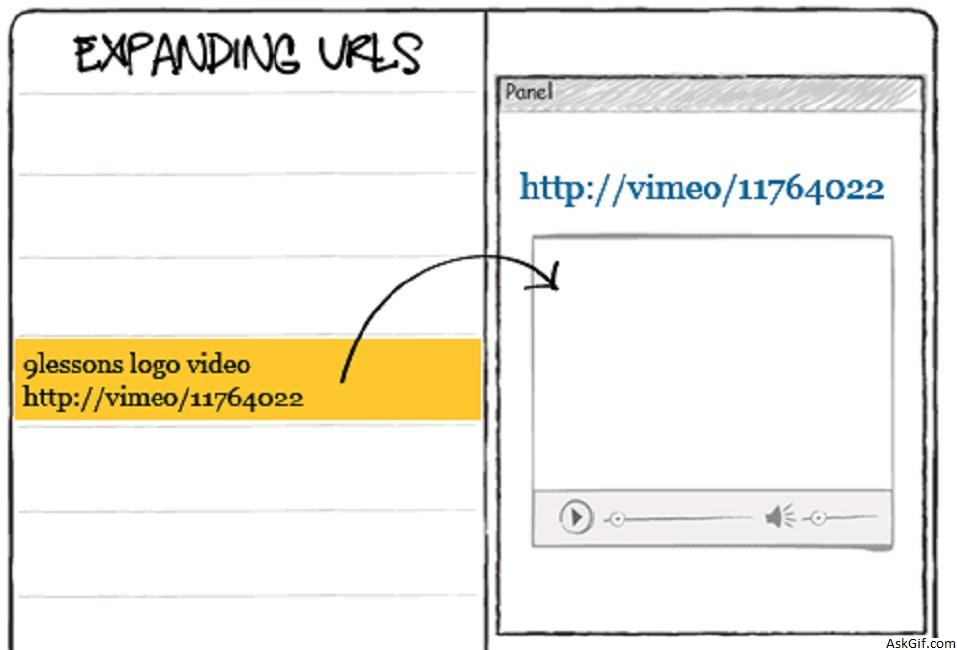
My last post explained about New Twitter design basic layout with CSS and Jquery. In this post I want to explain how to expand URLs like new Twitter user interface using jquery, ajax and PHP. It is very easy just implementing with embed jquery media plugin.
Database
MySQL messages table contains two columns msg_id and message.
CREATE TABLE messages
(
msg_id INT PRIMARY KEY AUTO_INCREMENT,
message VARCHAR(150)
);
Index.php
Contains simple HTML and PHP code. In left class contains messages table records.
<div id='container'>
// Right part
<div class='right'>
</div>
<div id="panel-frame">
<div class="panel">
<div class="head"> <a href="#" class="close">Close</a></div>
<div class="data">// Message id</div>
<div class="final">// Message </div>
<div class="expand_box">// Expanding URL area</div>
</div>
</div>
//Left Part
<div class="left">
// Message display here
<?php
include('db.php');
include('tolink.php');
$sql=mysql_query("select msg_id,message from messages order by msg_id desc");
while($row=mysql_fetch_array($sql))
{
$id=$row['msg_id'];
$message=$row['message'];
$message=tolink($message); // tutorial link click here
?>
<div class="block" id="<?php echo $id;?>">
<?php echo $message;?>
</div>
<?php
}
?>
</div>Javascript
$(".block").click(function(){})- block is the class name of DIV tag. Using $(this).attr('id') - calling DIV tag ID value and $(this).html() - calling DIV tag data. Here you have to include jquery.oembed.js plugin
<script type="text/javascript" src="http://ajax.googleapis.com/
ajax/libs/jquery/1.4.2/jquery.min.js"></script>
<script type="text/javascript" src="jquery.oembed.js"></script>
<script type="text/javascript">
$(document).ready(function()
{

$('.block').click(function()
{
var id= $(this).attr('id'); // .block ID
var msg= $(this).html(); // .block DIV data
var data_id= $(".data").html(); // .data DIV value
var panel= $('.panel');
var panel_width=$('.panel').css('left'); // rolling panel width
//-Expanding URLs--------------------------------
$('.data').html(id);
$('.final').html(msg);

function expanding_url()
{
var dataString = 'id='+ id;
$.ajax({
type: "POST",
url: "newtwitterajax.php", // Expanding URL
data: dataString,
cache: false,
success: function(data)
{
$('#expand_box').show();
$('#expand_box').html(data);
}
});
}

//---------------------------------

if(data_id==id)
{
// Rolling Animation
panel.animate({left: parseInt(panel.css('left'),0) == 0 ? +panel.outerWidth() : 0});
//--------------------------------
if(panel_width=='341px')
{
$('#expand_box').hide();
}
else
{
expanding_url();
}
//--------------------------------
}
else
{
expanding_url();
// panel width CSS width:340px + border:1px = 341px
if(panel_width=='341px')
{
// No rolling animation
}
else
{
// Rolling Animation
panel.animate({left: parseInt(panel.css('left'),0) == 0 ? +panel.outerWidth() : 0});
}
}
// passing id value to <div class='data'$gt; </div>
$('.data').html(id);
return false;
});

// panel close link
$('.close').click(function()
{
var panel= $('.panel');
panel.animate({left: parseInt(panel.css('left'),0) == 0 ? +panel.outerWidth() : 0});
$('#expand_box').hide();
return false;
});

});
</script>
newtwitterajax.php
Contains PHP and javascript code. Here calling message record from messages table where msg_id = .block id and calling oembed JavaScript function. If you want to display more details about message(Retweet information) write your code.
<?php
include('db.php');
if($_POST)
{
$id=$_POST['id'];
$sql=mysql_query("select message from messages where msg_id='$id'");
$row=mysql_fetch_array($sql);
$message=$row['message'];
?>
<script type="text/javascript">
$(document).ready(function()
{
$("#expand_url<?PHP echo $id; ?>").oembed("<?php echo $message; ?>", {maxWidth: 300, maxHeight: 200});
});
</script>
<div id='expand_url<?php echo $id; ?>' ></div>
<?php
}
?>
CSS
.data
{
font-size:16px;
display:none;
}
.final
{
overflow:hidden;
padding:20px;
font-size:24px;
}
#expand_box
{
position:relative;
position:absolute;
padding-left:30px;
}
#expand_box img { width:250px; }
db.php
PHP database configuration file
<?php

$mysql_hostname = "Host name";
$mysql_user = "UserName";
$mysql_password = "Password";
$mysql_database = "Database Name";
$bd = mysql_connect($mysql_hostname, $mysql_user, $mysql_password) or die("Could not connect database");
mysql_select_db($mysql_database, $bd) or die("Could not select database");
?>





