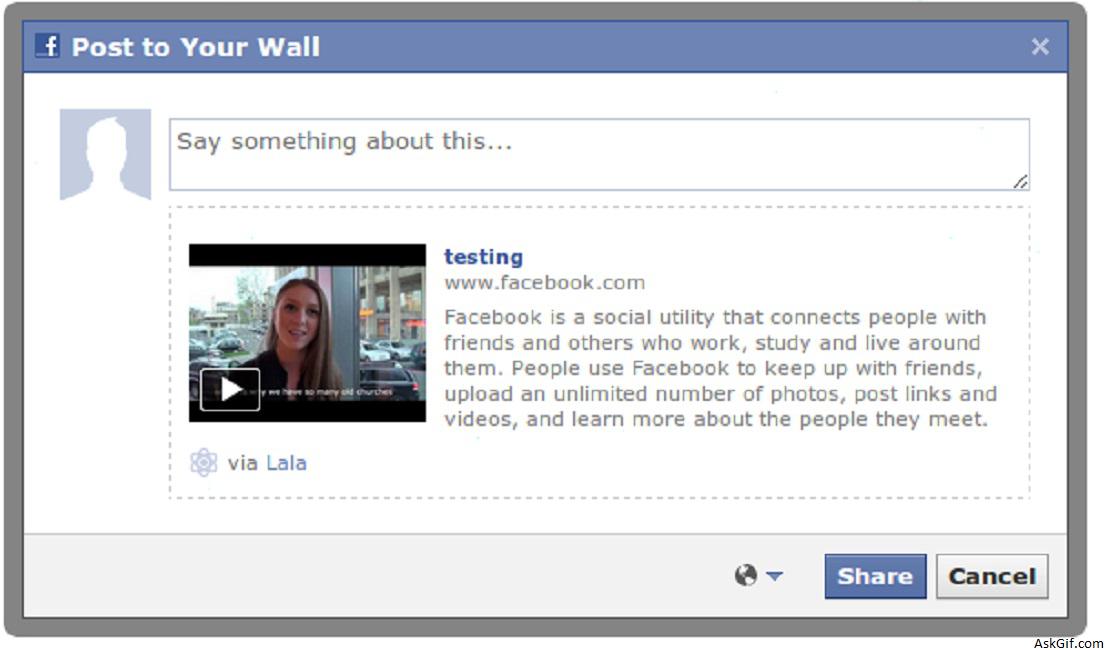
Are you looking for facebook like live extracting URL or link data preview while typing the content? In this post, I want to explain how to get the cross-domain data with jquery and ajax. This is a very interesting post I had developed a script just take a look at this.
Javascript and HTML Code
$('#content').keyup(function(){} - content is the ID of the textbox. Using $(this).val() getting the textbox value.
<script type="text/javascript" src="http://ajax.googleapis.com/
ajax/libs/jquery/1.4.2/jquery.min.js"></script>
<script type="text/javascript">
$(document).ready(function()
{
$("#contentbox").keyup(function()
{
var content=$(this).val();
var urlRegex = /(\b(https?|ftp|file):\/\/[-A-Z0-9+&@#\/%?=~_|!:,.;]*[-A-Z0-9+&@#\/%=~_|])/ig;
// Filtering URL from the content using regular expressions
var url= content.match(urlRegex);

if(url.length>0)
{
$("#linkbox").slideDown('show');
$("#linkbox").html("<img src='link_loader.gif'>");
// Getting cross domain data
$.get("urlget.php?url="+url,function(response)
{
// Loading <title></title>data
var title=(/<title>(.*?)<\/title>/m).exec(response)[1];
// Loading first .png image src='' data
var logo=(/src='(.*?).png'/m).exec(response)[1];
$("#linkbox").html("<img src='"+logo+".png' class='img'/><div><b>"+title+"</b><br/>"+url)
});

}
return false;
});
});
//HTML Code
<textarea id="contentbox"></textarea>
<div id="linkbox"></div>
</script>
Why used urlget.php
Ajax origin policy we could not access the cross domain data with ajax request $.get("http://www.yahoo.com",function(response){ });. So that using local file(urlget.php) accessing the cross domain data.
urlget.php
Contains PHP code using file_get_contents function loading the URL data. Eg:urlget.php?url=http://yahoo.com
<?php
if($_GET['url'])
{
$url=$_GET['url'];
echo file_get_contents($url);
}
?>
CSS
body
{
font-family:Arial, Helvetica, sans-serif;
font-size:12px;
}
#contentbox
{
width:458px; height:50px;
border:solid 2px #dedede;
font-family:Arial, Helvetica, sans-serif;
font-size:14px;
margin-bottom:6px;
}
.img
{
float:left; width:150px; margin-right:10px;
text-align:center;
}
#linkbox
{
border:solid 2px #dedede; min-height:50px; padding:15px;
display:none;
}





