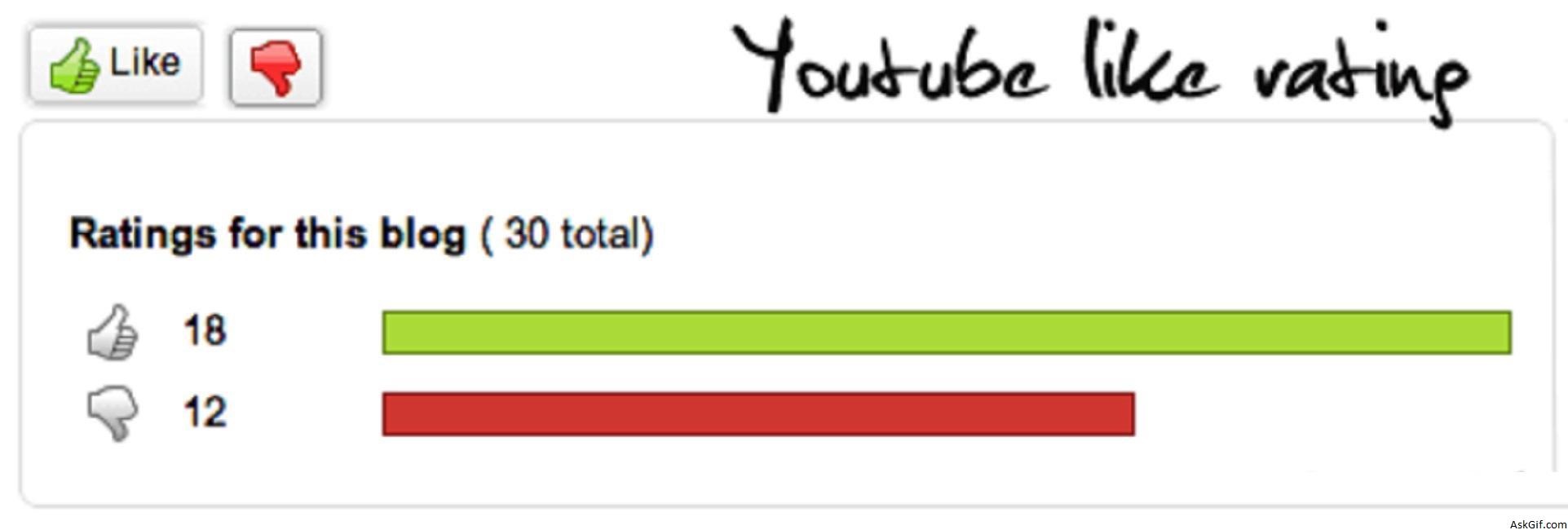
I received an email request from my reader that asked to me how to implement Youtube like rating with Jquery. It is so nice with quick bar results So that I had designed a simple script with PHP, Jquery and Ajax. Sure you will like it.
Database Design
Messages Table :
CREATE TABLE messages(
id INT PRIMARY KEY AUTO_INCREMENT,
message TEXT,
up INT,
down INT);
index.php
Contains javascript, PHP and HTML code. $(".like").click(function(){}- link is the class name of anchor tags(Like and Dislike). Using element.attr("id") calling button name and value((messsage Id)). Notice here anchor tag names(up and down)
<script type="text/javascript" src="http://ajax.googleapis.com/
ajax/libs/jquery/1.4.2/jquery.min.js"></script>
<script type="text/javascript">
$(document).ready(function()
{
$(".like").click(function()
{
var id=$(this).attr("id");
var name=$(this).attr("name");
var dataString = 'id='+ id + '&name='+ name;
$("#votebox").slideDown("slow");

$("#flash").fadeIn("slow");

$.ajax
({
type: "POST",
url: "rating.php",
data: dataString,
cache: false,
success: function(html)
{
$("#flash").fadeOut("slow");
$("#content").html(html);
}
});
});

// Close button action
$(".close").click(function()
{
$("#votebox").slideUp("slow");
});

});
</script>
//HTML Code
<a href="#" class="like" id="1" name="up">Like</a>
--
<a href="#" class="like" id="1" name="down">Dislike</a>

<div id="votebox">
<span id='close'><a href="#" class="close">X</a></span>
<div id="flash">Loading........</div>
<div id="content">
</div>
</div>
rating.php
Contains PHP code. If name = up it will update UP else DOWN.
<?php
include("db.php");
if($_POST['id'])
{
$id=mysql_escape_String($_POST['id']);
$name=mysql_escape_String($_POST['name']);
// Vote update
mysql_query("update messages set $name=$name+1 where id='$id'");
// Getting latest vote results
$result=mysql_query("select up,down from messages where id='$id'");
$row=mysql_fetch_array($result);
$up_value=$row['up'];
$down_value=$row['down'];
$total=$up_value+$down_value; // Total votes
$up_per=($up_value*100)/$total; // Up percentage
$down_per=($down_value*100)/$total; // Down percentage
//HTML output
echo '<b>Ratings for this blog</b> ( '.$total.' total)
Like :'.$up_value.'
<div id="greebar" style="width:'.$up_per.'%"></div>
Dislike:'.$down_value.'
<div id="redbar" style="width:'.$down_per.'%"></div>';
}
?>
CSS
#votebox
{
border:solid 1px #dedede; padding:3px;
display:none;
padding:15px;
width:700px;
-moz-border-radius: 6px;
-webkit-border-radius: 6px;
}
#greebar
{
float:left;
background-color:#aada37;
border:solid 1px #698a14;
width:0px;
height:12px;
}
#redbar
{
float:left;
background-color:#cf362f;
border:solid 1px #881811;
width:0px;
height:12px;
}
#close
{
float:right; font-weight:bold;
padding:3px 5px 3px 5px;
border:solid 1px #333;
-moz-border-radius: 6px;
-webkit-border-radius: 6px;
}





