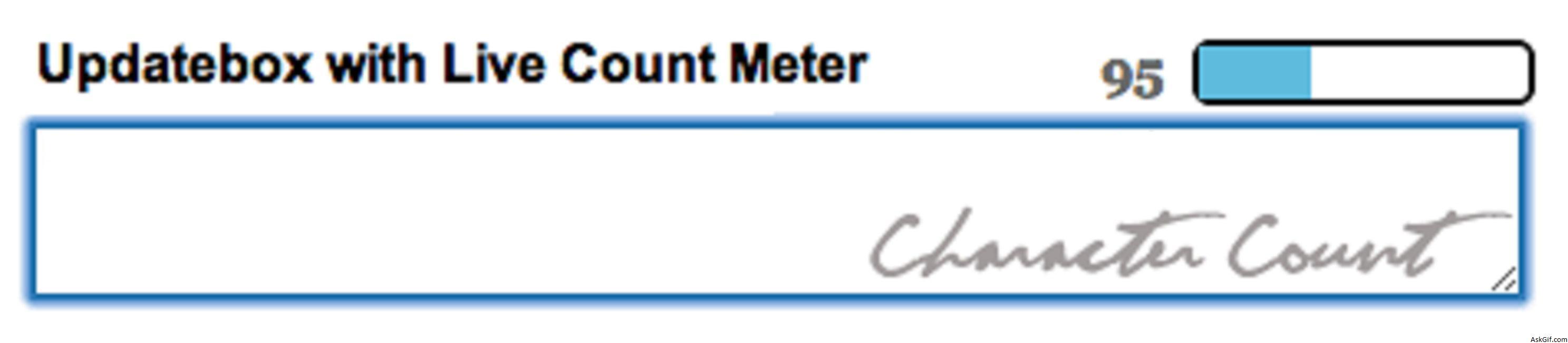
In this post, I want to explain how to do live character or word count meter using Jquery. It is interesting and simple just ten lines of java script code. Use it and enrich your web applications with jquery.
Javascript code
$('#contentbox').keyup(function(){} - contentbox is the ID of the textbox. Using $(this).val() getting the textbox value. bar is the div ID of the count meter $('#bar').animate() increasing the width.
<script type="text/javascript" src="http://ajax.googleapis.com/
ajax/libs/jquery/1.4.2/jquery.min.js"></script>
<script type="text/javascript">
$(document).ready(function()
{
$("#contentbox").keyup(function()
{
var box=$(this).val();
var main = box.length *100;
var value= (main / 145);
var count= 145 - box.length;

if(box.length <= 145)
{
$('#count').html(count);
$('#bar').animate(
{
"width": value+'%',
}, 1);
}
else
{
alert(' Full ');
}
return false;
});

});
</script>
HTML Code
Contains simple HTML code.
<div>
<div id="count">145</div>
<div id="barbox"><div id="bar"></div></div>
</div>
<textarea id="contentbox"></textarea>
CSS Code
#bar
{
background-color:#5fbbde;
width:0px;
height:16px;
}
#barbox
{
float:right;
height:16px;
background-color:#FFFFFF;
width:100px;
border:solid 2px #000;
margin-right:3px;
-webkit-border-radius:5px;-moz-border-radius:5px;
}
#count
{
float:right; margin-right:8px;
font-family:'Georgia', Times New Roman, Times, serif;
font-size:16px;
font-weight:bold;
color:#666666
}
#contentbox
{
width:450px; height:50px;
border:solid 2px #006699;
font-family:Arial, Helvetica, sans-serif;
font-size:14px;
}





