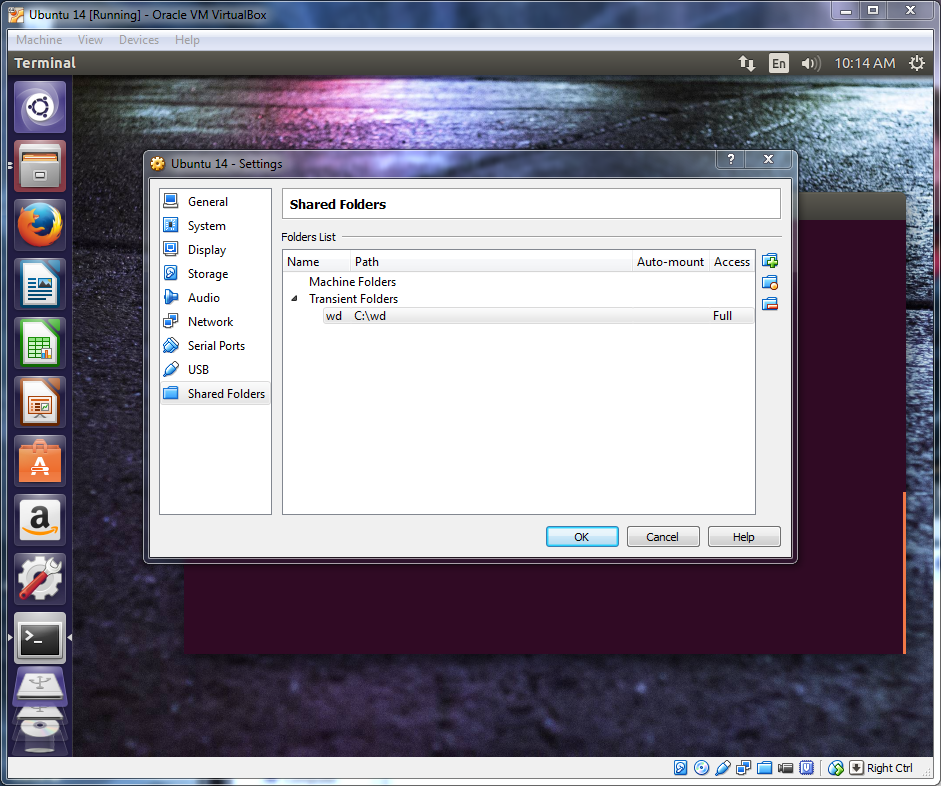
To be able to mount a VirtualBox shared folder between your windows and Linux machine you need to do the following steps.
First add your share directory in the VM Box:
Whatever you name your share here will be the name you will need to use when mounting in the vm guest OS. i.e. I named mine "wd" for my western digital passport drive.
Next on the the guset OS make a directory to use for your mount preferably in your home directory.
mkdir shareNext open the terminal and copy and paste the following or type it in. You can enable shared clipboard under Device-> Shared Clipboard-> Bidirectional
sudo mount -t vboxsf wd ~/share/You should now be able to copy files between OS's using the folder "share" in your home directory





