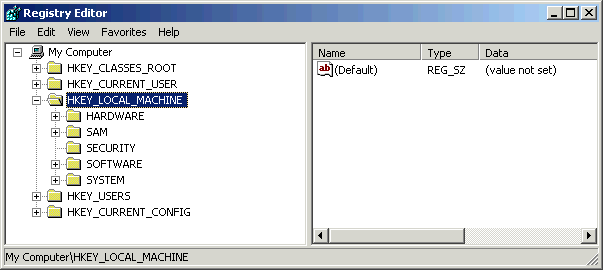
If you are in search of a “Free registry cleaners” then you may come across thousands of them readily available over internet, but only few of them can be trusted and can be tried without risking your computer. Here, we are going to state you few good registry cleaner programs. First of all, a question raises do we really need any registry cleaner? And the answer is Yes, because during the long term use of Windows we keep on installing and uninstalling multiple programs. Because of this, registry gets continuously filled by numerous useless keys. This overstuffing of registry slows down the computer system and creates multiple problems in the long run. So to clean up your registry we recommend the following registry cleaners, however in no specific order.
- 1There are many free registry cleaners available, but only a few are reliable and safe to use on your computer.
- 2CCleaner is a popular utility known for cleaning temporary files and includes a mild but effective registry cleaner.
- 3Eusing Free Registry Cleaner is highly regarded for its depth in cleaning and efficiency, addressing various registry issues.
AI-generated summary · May not capture all nuances
"There are many free registry cleaners available, but only a few are reliable and safe to use on your computer."
— Few good registry cleaners
🛒 You'll Need This
Products related to this article
Bounce
Bounce Outdoor Fresh Fabric Softener Sheets 240 Count
GU
GU Original Sports Nutrition Energy Gel, Salted Caramel, 8-Count

Aveeno
Aveeno Active Naturals Therapeutic Shave Gel - 7 oz
As an Amazon Associate, AskGif earns from qualifying purchases
Registry Cleaners
CCleaner- It is one of the most famous utility for tuning up your PC and its maintenance. More often it is known for cleaning up the hard drive from temporary files, which are useless, and old histories in browsers, but it has also got a registry cleaner that totally works fine. Although many people call it a “mild” registry cleaner as it does not go much deep into the registry, but it is good enough for smooth running of your system.
Comodo Registry Cleaner – It is a recently released product from a reputed company and despite being a beta version it proves to be an efficient program. It can provide better performance than the CCleaner in terms of finding complex registry keys and along with it does not harm your computer system. Comodo has some reputed products for Backup and Firewalls, and their venture in this field proves to be excellent.
Eusing Free Registry Cleaner- This is another “Free registry cleaner” and has some very good online reviews. It is considered a deeper and an efficient registry cleaner which also cleans the missing shared dlls, invalid paths, null installer reference, unsound ActiveX and many more. Argente Registry Cleaner – This is another registry cleaner which has got many mixed reviews over the internet. Some consider it as one of the best, while some complain that it messes up with the system. So user must do some research about it over the internet before using it. Also, one must make a backup of his registry before running any registry cleaner. Erunt 1.1 -Along with cleaning, this registry cleaner also provides option for creating a backup and restoring your registry. Additionally, it also optimizes and pulls up your registry. But this program works only with windows XP, for other versions you need to find something else. It has got multiple praising reviews with no off-putting feedbacks at all, which shows that it is quite safe to use this program.
EasyCleaner- It works more or less like the CCleaner with some additional features such as removing the temporary files, needless backup files etc. Its most promising feature is that is uses an up to date file in the text format which holds the registry key values that shouldn’t be altered or deleted. It is because it has earned huge positive reviews online.
TweakNow RegCleaner – This utility comes in two versions, one is a professional and another standard one. Standard one has got features such as registry scan up and cleaning. The Professional version provides a defragmenter along with a Window Optimizer. As these are not necessarily required so you can go with the standard version. It works with Windows XP and Vista.
RegSeeker – This utility provides the user a very good interface and quality of work. You may also employ it to look for registry of installed applications, histories, entries for startups etc. Along with cleaning the registry it also allows you to put in certain tweaks. It has got a high rating over the internet and runs on Windows XP and Vista.
Wise Registry Cleaner- This program also comes in two flavors, free and pro. The pro version provides some advance facility such as exporting the registry keys to some Excel file. It also allows you to restore back to some previous state, of before running the program, if something unwanted has accrued and system is not working smoothly.
Free Registry Cleaner – It is a much proclaimed registry cleaner over the internet that runs over all the version of Microsoft Windows till Vista. Along with all the basic features, it has got the startup manager, a process manager, and an uninstall manager. As said online in multiple reviews, it finds more number of keys and removes them as compared to some other cleaner. However this deep cleaning can be good as well as harmful too, so one needs to assure before using it.
There were the few “Free registry cleaners” that can be used for smooth running or your computer system.
Products related to: Registry Cleaners
Amazon affiliate